

Reply right where you chat
Turn on screen recognition and ReplySense understands the conversation on screen, then suggests replies inside your keyboard.
- No screenshots or copy and paste
- Insert into the chat with one tap
- Edit anything before you send
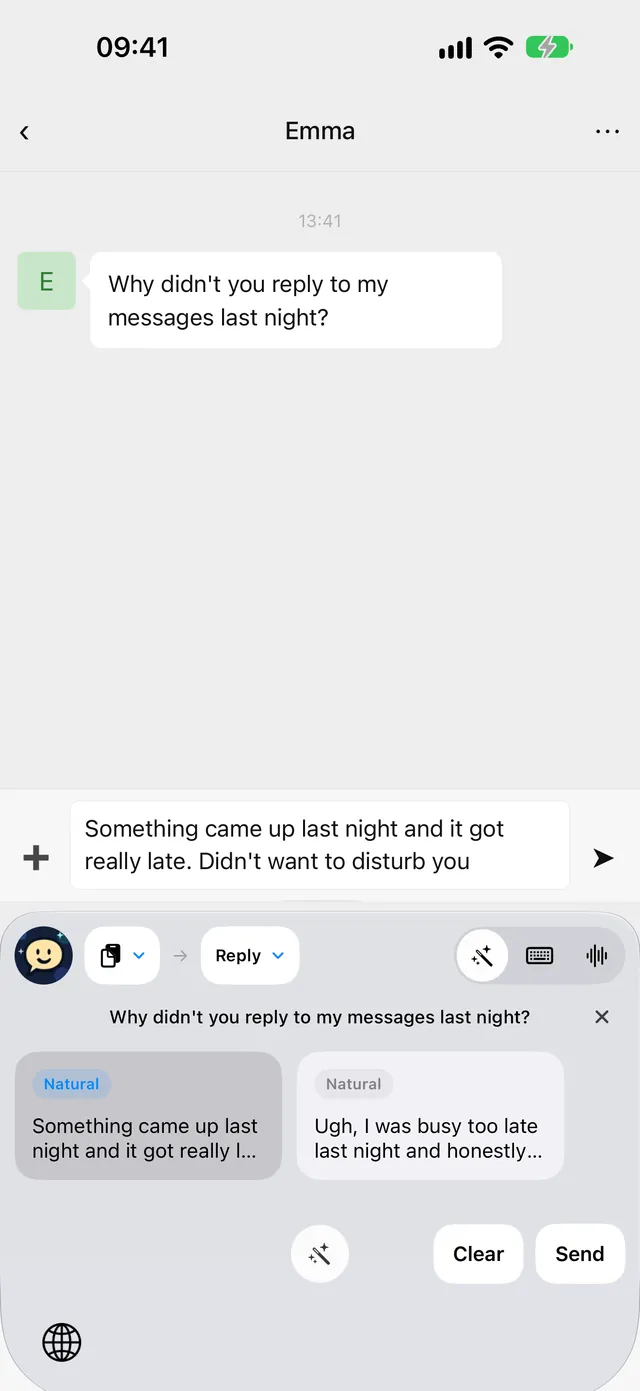
ReplySense reads the conversation and suggests natural replies in the tone you want — right inside your keyboard. No screenshots, no copy and paste.
Haha your profile made me laugh. Are you always this funny?
Only on good days 😄 What made you laugh?
Depends — are you always this easy to impress?
Thanks! I try not to take myself too seriously. What caught your eye?
From reading the room to finding your own words, ReplySense helps at every step of the conversation.
Turn on screen recognition and ReplySense understands the conversation on screen, then suggests replies inside your keyboard.
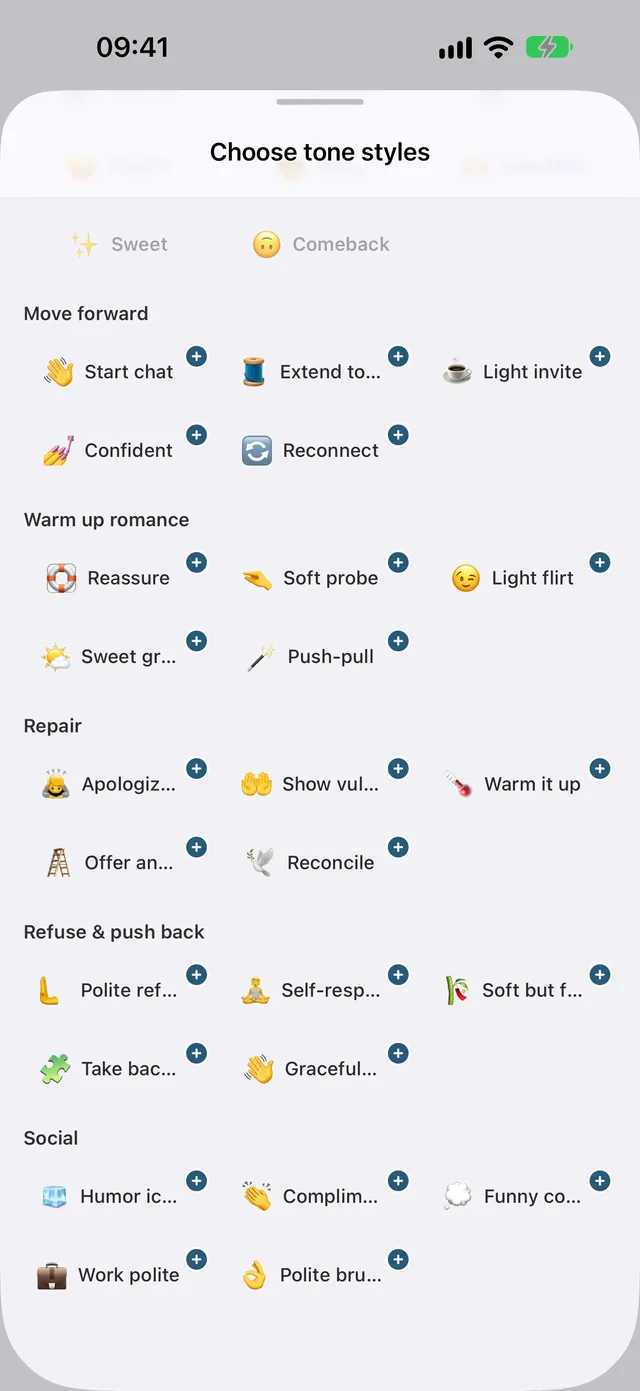
Natural, high-EQ, flirty, apologetic or firm. Choose a style that fits the moment and still sounds like you.
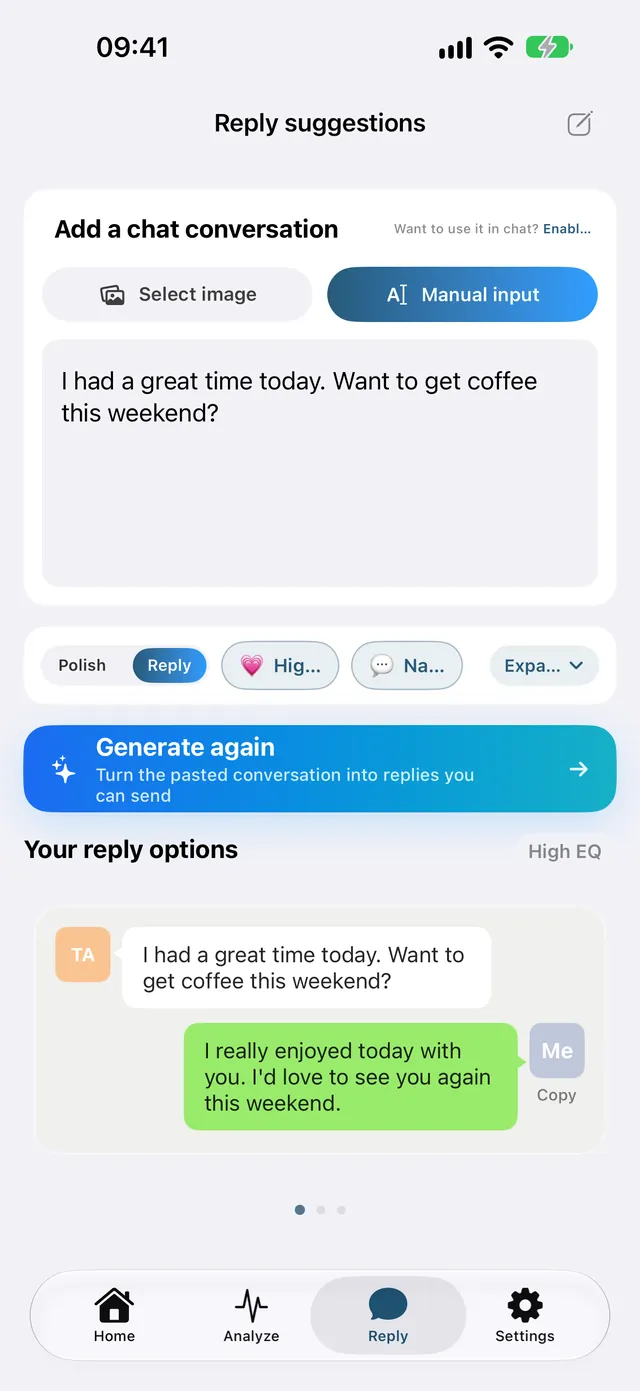
Add a screenshot or paste a conversation in the app and get several ready-to-send replies. Not quite right? Generate again.
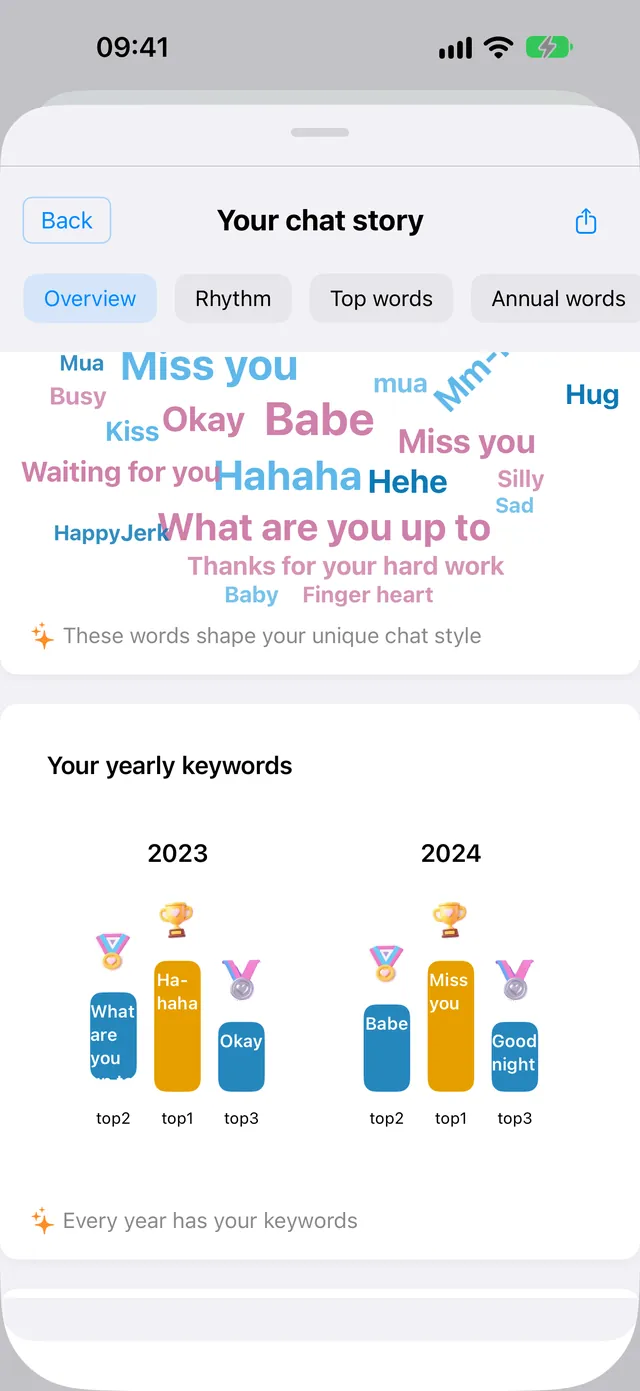
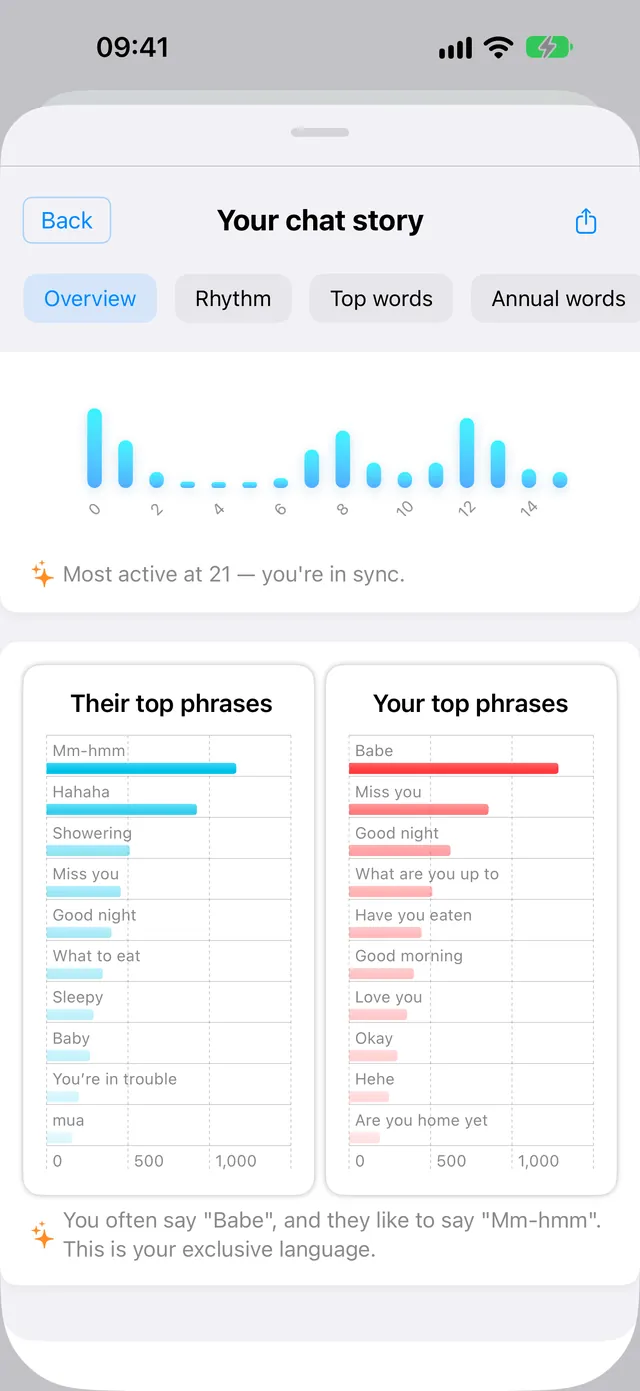
Look back at your chat rhythm, each person’s top phrases and your yearly keywords to understand how you two really talk.
From natural to flirty, apologetic to firm. Pick the tone and keep your own voice.
Use the app in your language and chat with people all over the world.
Say what you mean out loud and get a clean, ready-to-send message.
Save nicknames, preferences and notes so replies fit every relationship.
Find the right words for stories, posts and comment threads.
Every suggestion is editable. Nothing is sent until you tap send.
Download ReplySense and follow the in-app guide to turn on the keyboard.
Switch to ReplySense and tap Reply. It reads the conversation for you.
Choose a suggestion, adjust the style or the words, then send.
Know what happens when you ask AI for help.
Read the full privacy policySuggestions are editable. You choose which words to send.
AI tasks send the relevant content to our server and AI providers for processing.
Control optional permissions and contact support for data access or deletion requests.
Getting started, compatibility, and staying in control.
ReplySense is an AI reply keyboard for iOS and Android. Features and companion app tools vary by platform.
Follow the setup guide in the app. On iOS, add the keyboard and enable Full Access for online AI features. On Android, enable ReplySense in system keyboard settings. Screen recognition and voice features require their own permissions.
You can use it in apps that support third-party keyboards, including many common chat apps. Some apps and secure input fields restrict custom keyboards.
With screen recognition set up and enabled, you can request replies from the conversation on screen without manually taking a screenshot or copying the chat. Other input sources remain available.
Yes. Use the actual conversation and choose a suitable style to find a natural way to respond. You can edit every suggestion before sending.
The app is available in more than 30 languages, including English, Chinese, Japanese, Korean, Spanish, Portuguese, French, German, Italian, Russian and Indonesian.
Download from the App Store or Google Play. Available allowances, paid features and purchase terms are shown in the app before purchase.
No. AI features send relevant content to our server and AI service providers. See the privacy policy for processing, storage, permissions, and deletion details.
Find your next reply with ReplySense.
Android direct download · Download the APK
Scan with your iPhone